Well I saw the following post of X, there have been many favicon jokes and issues atleast in my feed lately.
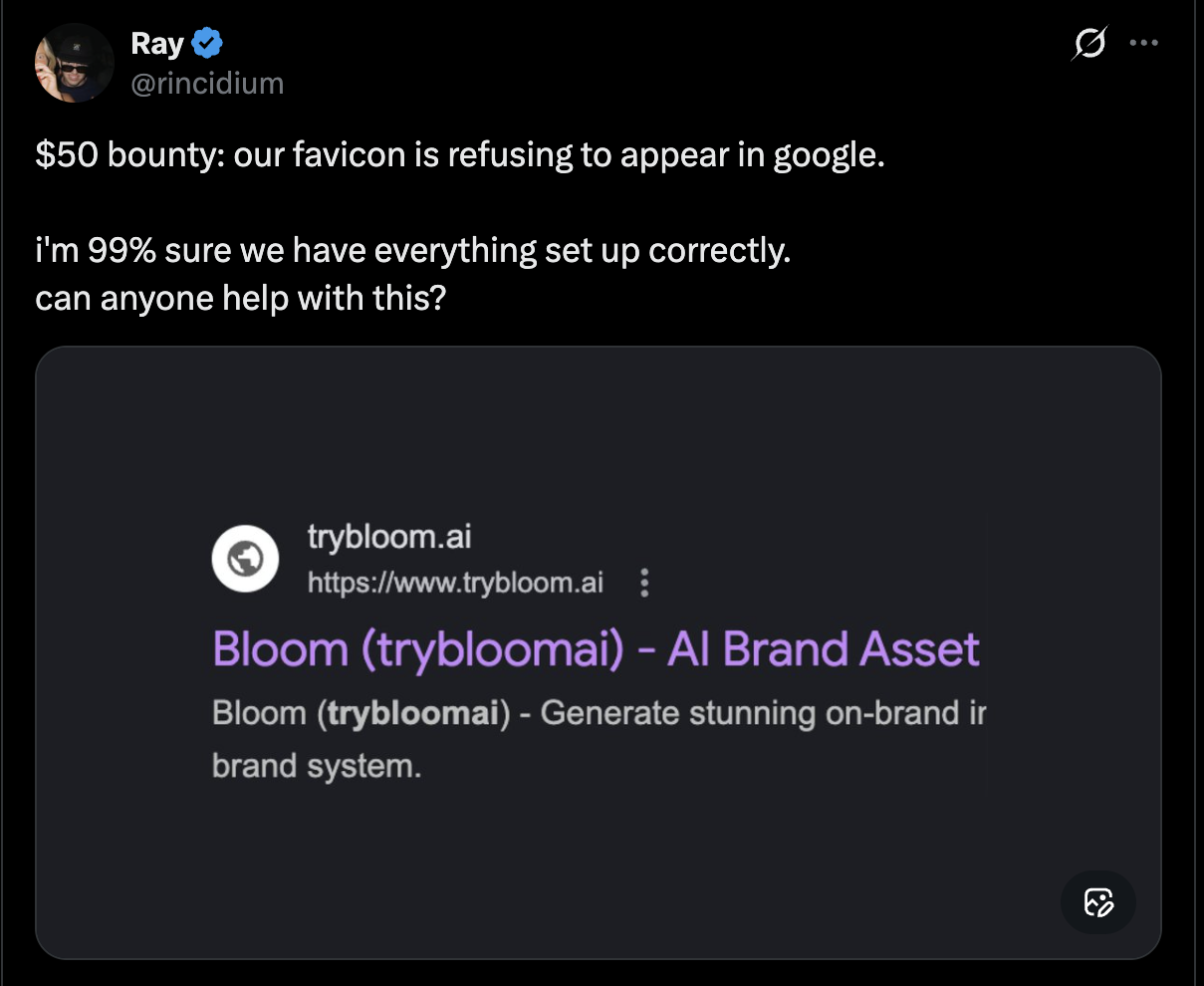
Then I though let’s investigate this same issue is with my website Pitch Like This. And guess what there was!
I was not much concerned till now because,
- We are not indexed by google yet in top 10 in any major queries
- The favicon appears on the Browser Tab (so I assumed it should be search as well)
But its not. When I query “pitch i like this” in google, that’s when google decides to rank my website first - I don’t know where the I is coming from. Maybe that “pitch like this” alone is too crowded already.
Anyway, I do have the favicon implemented in my NextJS project. And this is how it is implemented:
- My
/publichas the logo named aspitchlikethis-logo.svg. - And then the
/app-layout.tsxuses this graphic file via the following implementation
import type { Metadata } from "next";

export const metadata: Metadata = {
	title: "Pitch Like This",
	description: "We expertise in selling your skills.",
	icons: {
		icon: [
			{
				url: "/pitchlikethis-logo.svg",
				type: "image/svg+xml",
			},
		],
		shortcut: "/pitchlikethis-logo.svg",
		apple: "/pitchlikethis-logo.svg",
	},
};
I see two paths of exploration right now, let’s go through both of them.
Next JS Metadata Object
As per the docs, NextJS provides a Metadata object for static input and a generateMetadata function for dynamic favicons. We have to use these functionalities and not worry about any <head> tags, next automatically generates them.
Our use case is for static favicon. So I am going to focus there.
When I check the icons section, our use is accurate, only difference being that the documentation uses .png and there is no details on if other formats are supported.
I have already deployed this implementation with .svg and if we look within the devtools, it seems like NextJS has successfully converted <meta> and <link> tags for us.
<head>
	<meta charset="utf-8">
	<meta name="viewport" content="width=device-width, initial-scale=1">
	<link rel="preload" as="image" href="/pitchlikethis-logo.svg">
	<link rel="preload" as="image" href="/pitchlikethis-landing-desktop.png">
	<link rel="preload" as="image" href="/casestudystack-mobile.svg">
	<title>Pitch Like This</title>
	<meta name="description" content="We expertise in selling your skills."
	<link rel="canonical" href="https://www.pitchlikethis.com">
	<meta property="og:title" content="Pitch Like This">
	<meta property="og:description" content="Create tailored pitches for every role or client, organise your projects and case studies, and share them as clean, distraction-free links that tell your story with clarity and impact.">
	<meta property="og:url" content="https://www.pitchlikethis.com">
	<meta property="og:site_name" content="Pitch Like This">
	<meta property="og:locale" content="en_US">
	<meta property="og:image"content="https://www.pitchlikethis.com/og_image.png"
	<meta property="og:image:width" content="1200">
	<meta property="og:image:height" content="630">
	<meta property="og:image:alt" content="Pitch Like This">
	<meta property="og:type" content="website">
	<meta name="twitter:card" content="summary_large_image">
	<meta name="twitter:title" content="Pitch Like This">
	<meta name="twitter:description" content="Create tailored pitches for every role or client, organise your projects and case studies, and share them as clean, distraction-free links that tell your story with clarity and impact.">
	<meta name="twitter:image" content="https://www.pitchlikethis.com/og_image.png">
	<link rel="shortcut icon" href="/pitchlikethis-logo.svg">
	<link rel="icon" href="/pitchlikethis-logo.svg" type="image/svg+xml">
	<link rel="apple-touch-icon" href="/pitchlikethis-logo.svg">
</head>- We are preloading hero section assets which includes the logo, a mobile, and a desktop image.
- Browser tab title and description are available
- Canonical URL is specified to avoid duplicate content errors
- OpenGraph (OG) is used by Whatsapp, Linkedin, Facebook, and Instagram. All parameters are correct and also work on these platforms.
- Twitter falls back to OG but still my posts are not showing image cards on X posts. That is another separate problem. (This works when we test on tools like opengraph.xyz)
- Favicon is loading and hence by browser tab does show an icon. But why does Google Search miss it? Favicon should fallback to png as well.
- Apple Touch Icon seems to be the web app icon for apple, and it does not use
svg, preferspng(180x180).
Okay we got two changes to try till now:
- Add a png fallback for our
svgicon - Add a 180x180 png for for apple touch icon
Manifest for Web App Icon
In addition to above icons,
- Android devices look for a
manifest.jsonto display webapp icons. When they add a shortcut of our app to their mobile device. - Link the
manifest.jsonin the<head>tag as a<link>
<link rel="manifest" href="/manifest.json"> - Nothing specified in NextJS docs on how to add this so adding manually as per MDN docs.
I’ll be adding a web manifest like this to my /app folder, Next JS specifies to add this in the app root.
{
	"name": "Pitch Like This",
	"short_name": "PLT",
	"icons": [
		{
			"src": "/public/web-app-manifest-192x192.png",
			"sizes": "192x192",
			"type": "image/png",
			"purpose": "maskable"
		},
		{
			"src": "/public/web-app-manifest-512x512.png",
			"sizes": "512x512",
			"type": "image/png",
			"purpose": "maskable"
		}
	],
	"theme_color": "#ffffff",
	"background_color": "#ffffff",
	"display": "standalone"
}
Browser Favicon vs Google Search Favicon
Browser favicon is dictated by the links tag and hence they are working in our current production. Google Search favicon depends on the search crawler.
Hence we should now check the Google Search Console and verify if our page is crawled. It is in my case and in most cases where people are facing issues it will be crawled as only an indexed page will noticeable enough to have a missing favicon.
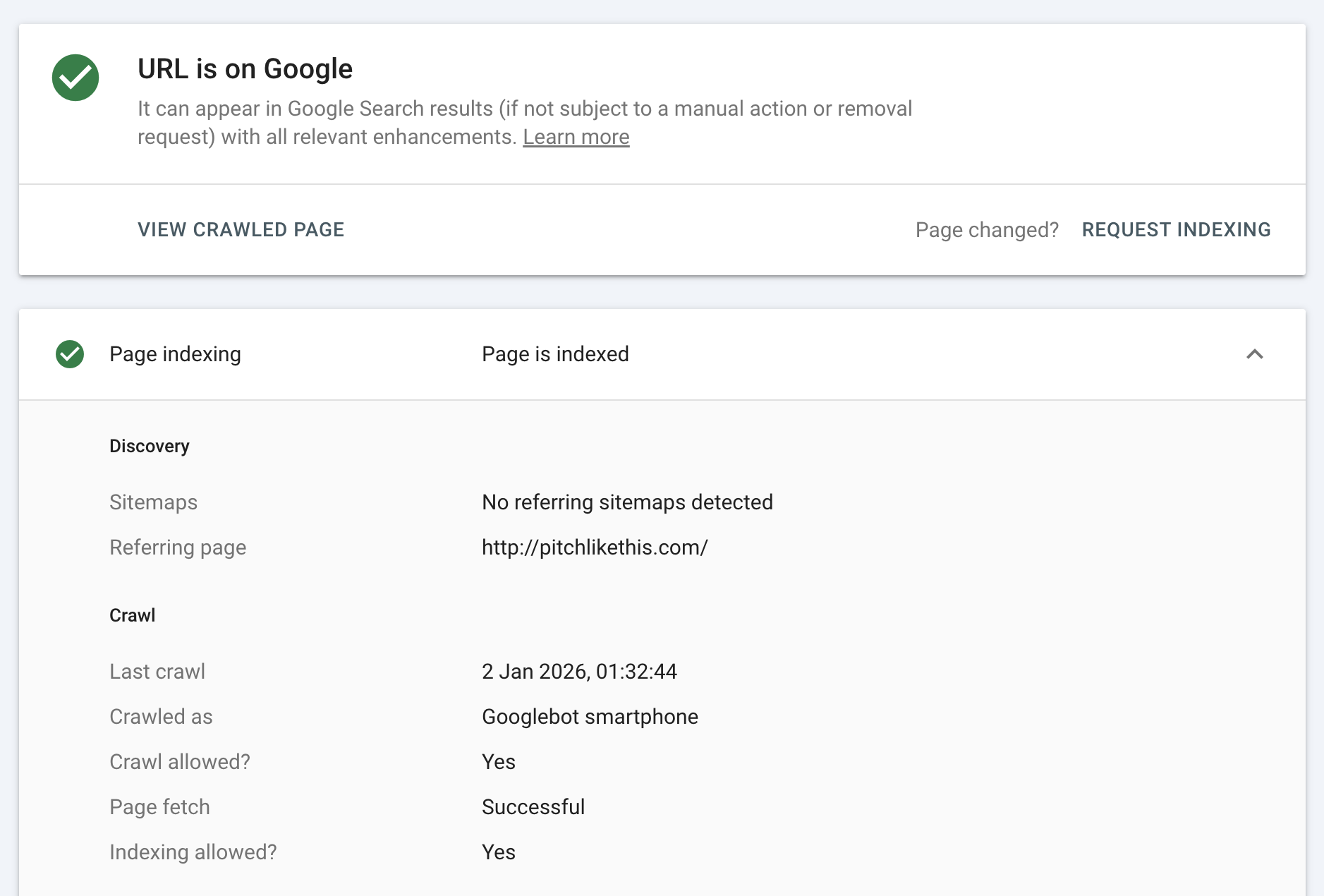
So the verdict is that the crawly has not found a favicon because we only cared about link tags.
Next JS recommendation for Google Search Favicon
- Add a
favicon.icoto the/approot..icowill only be detected in the root - Add an
icon.svgimage file to root or beyond - Add an
apple-icon.pngimage file to root or beyond
I believe Next will render more <link> tags for our above definition. Should I keep the earlier icons we made with Metadata object? I am going to considering those are for browser.
Cases where google search may not show the favicon:
- icon smaller than 48x48
- only svg format is available
- the crawler is blocked
- google caches have not updated
- canonical points another domain → This is happening in my case, I have pitchlikethis.com indexed however www.pitchlikethis.com is my canonical url.
What is the use of icon and apple-icon?
Browsers would likely use the icon0.png and icon1.svg. apple-touch-icon (which we set earlier via the object) seems to be the shortcut for iOS web apps while apple-icon will be used by Safari.
So to summarise my /app root now contains:
-- favicon.ico (looks blur and not good honestly)
-- icon0.svg (hope the google search uses this)
-- icon1.png (just in case)
-- apple-icon.png (for safari)
-- manifest.json (for my android webapps, images for these go in public)
Now looking for a Twitter Image solution
As I said earlier, twitter:card declared in metadata object is not working for me. And twitter fallbacks to OG but that is also not giving results. The other social platforms were pretty quick to cache my og params - so it might not be twitter bot caching issue.
In Next JS docs I found a special reference to twitter metadata using twitter-image files. So I am going to explore this as a side mission.
Well - however I have dynamic twitter cards for certain links. So I am not sure how twitter-image is going to cut it for me. This is not likely going to be a side mission, I will cover this separately.
Testing
PS
I was first going to keep both the icons ones in Metadata API and the ones I added as static to the
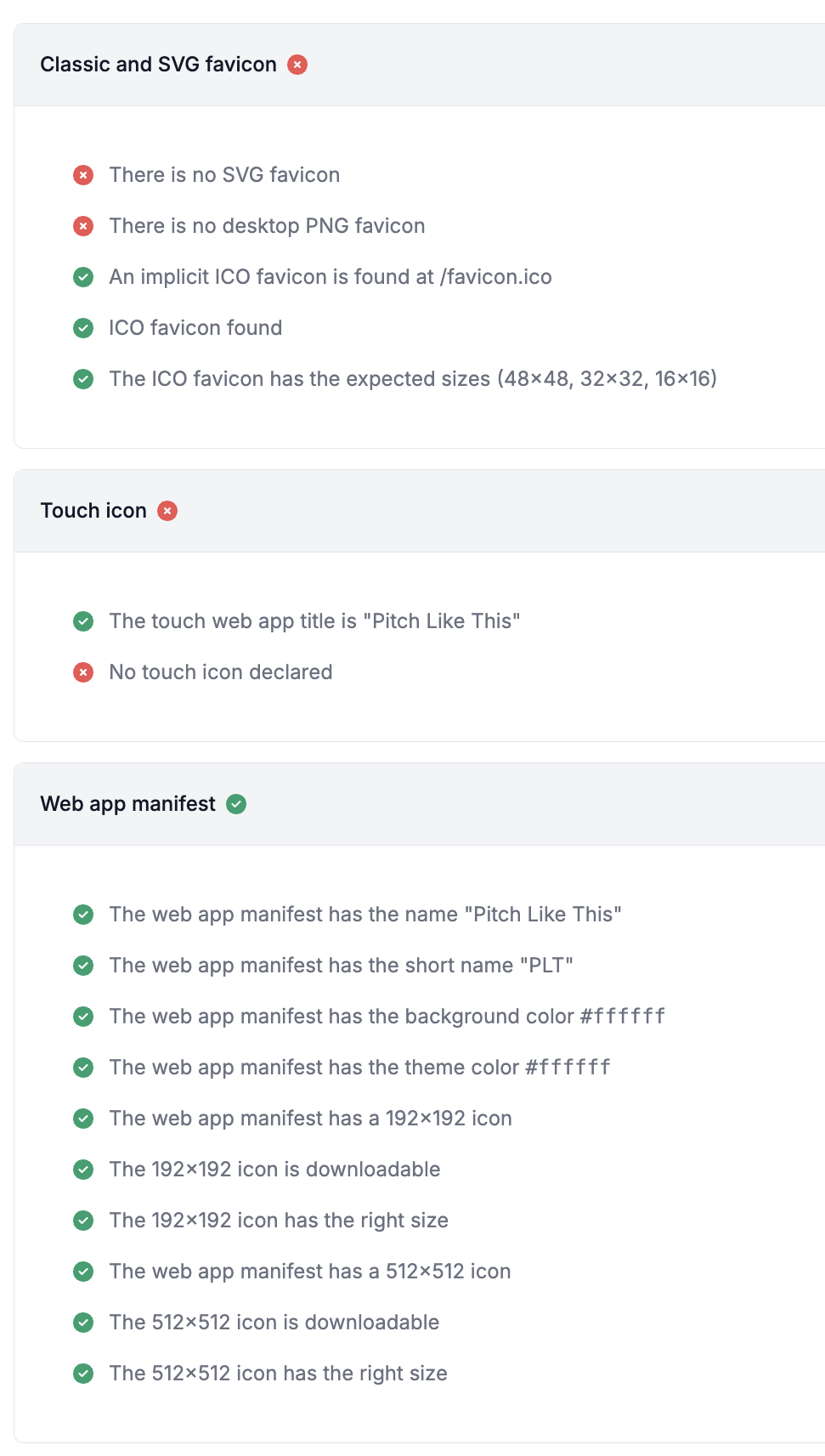
/appbut finally decided to not do that.I used realfavicongenerator.net to test out the dev and favicon and manifest are working fine but apple icon, svg and png icons show failed. However I can see in devtools that all these icons are being populated each with a url param
?asdsd.
So let’s deploy and see what happens.
Updates
17th January, 2026
Its 17th of January today - yesterday (finally) the twitter card started showing itself on quoting the website URL on the platform. I have made no changes since I added twitter OG tags - not sure why twitterbot took almost a week.
Bad News: The Favicon in Search Results still show the globe icon. The Search Console has correctly indexed www domain as canonical - but this has not resolved any favicon issue. I have explored other website and have not observed anything different in terms of code or syntax. Hence I am going to just wait more.
23rd January, 2026
The favicon is finally visible in the Search Listings!
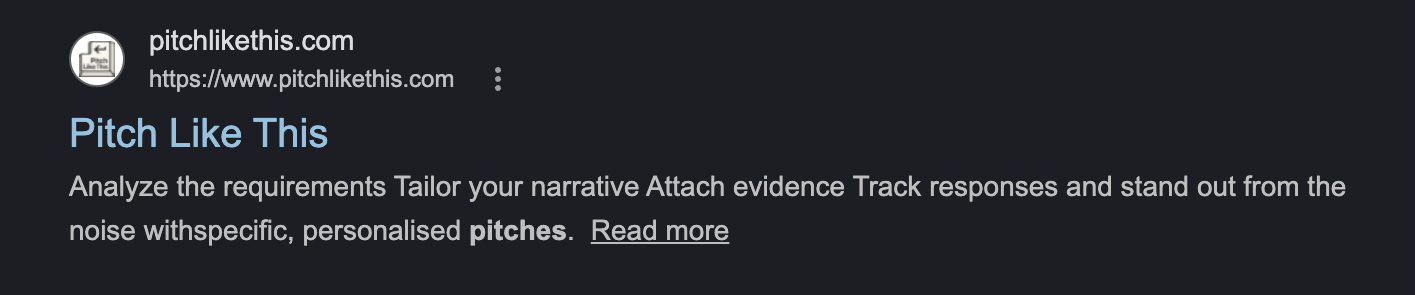
Another Observation: My portfolio website - where I did not make any changes I listed above also now displays the favicon - which was not visible earlier while writing this article for the first time.
The configuration for this website rather uses a .svg as an icon.
export const metadata: Metadata = {
  title: 'Pranav Mandhare',
  description: 'Pranav\'s Portfolio',
  generator: 'Pranav Mandhare',
  icons: {
    icon: '/sisyphus.svg',
    shortcut: '/sisyphus.svg',
    apple: '/sisyphus.svg',
  },
}
It seems like this fix might just be from Google’s end.
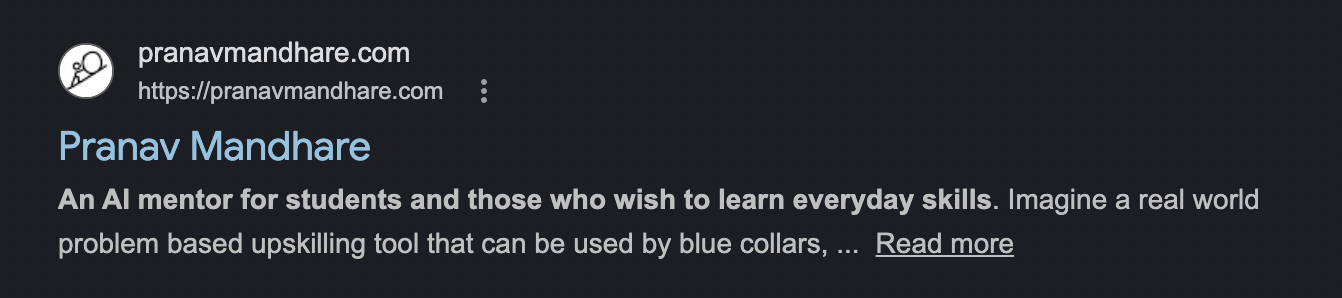
So, I’ll term the above exploration as a good to have or best engineering practice. If your website already has a favicon visible in google search and you do not need a manifest for web apps - then you can as well skip the above modifications.
Conclusion - Engineering best practices for favicons
- Dynamic Methods: Use the recommended methods from your framework (if any): NextJS has two methods - either use a Metadata object which automatically renders the html tags in the head section of the pages. Or manually add an icon file to the root of your project. The use of dynamic rendering I believe is always the best option.
- Tools: Use tools like Google Search Console to ensure the pages are indexed post addition of favicon. To test favicons use Favicon Checker. For OG images, use OG Image Checker. However note that these always may not be accurate - because I had correct implementation and still X and Google bots did not have my collaterals.
- Fallbacks and Dimensions: Favicons should have fallbacks where
favicon.icois the default that search engine lookout for, then fallback toimage0.png, and as a last fallbackimage1.svg. The ico file should have a maximum dimension of 48x48px. - Apple WebApps: Add apple-icons specifically so that any webapps saved on iOS devices as well as Safari renders the favicons for the website. For apple, only use png formats.
- Android WebApps: Use a
manifest.jsonfile in the root so that any Android devices that saves the application as a webapp has a splash screen logo as well as app icon. The icons should be of 192x192 and 512x512 dimensions. - Other Metadata: Ensure all titles, descriptions, canonical urls are declared in the metadata alongside the favicons.
- OG Metadata: Ensure all the OG tags are in place - this includes title, description, images, site url. Twitter requires a separate declaration. Note: I had an issue where twitterbot was not loading my OG image in X posts - and apparently is resolved as well.
If you enjoyed reading this do Subscribe, if you are on desktop you’ll find the button on left side menu. And if you are on mobile the best option is clicking this subscribe to my weekly updates